I needed to "inject" a first-boot script into the Raspbian image so I needed to "crack open" the .img file in order to add something to /etc/init/rc.local. I came across this article on how to do it: https://raspberrypi.stackexchange.com/questions/13137/how-can-i-mount-a-raspberry-pi-linux-distro-image
Here are the offsets and commands to mount up the Raspbian 2018-11-13 image:
fdisk -l 2018-11-13-raspbian-stretch.img
Disk 2018-11-13-raspbian-stretch.img: 3405 MB, 3405774848 bytes, 6651904 sectors
Units = sectors of 1 * 512 = 512 bytes
Sector size (logical/physical): 512 bytes / 512 bytes
I/O size (minimum/optimal): 512 bytes / 512 bytes
Disk label type: dos
Disk identifier: 0x025ce4e3
Device Boot Start End Blocks Id System
2018-11-13-raspbian-stretch.img1 8192 98045 44927 c W95 FAT32 (LBA)
2018-11-13-raspbian-stretch.img2 98304 6651903 3276800 83 Linux
512 * 8192 = 4194304
512 * 98304 = 50331648
mkdir /mnt/img
mkdir /mnt/img/one
mkdir /mnt/img/two
mount -v -o offset=4194304 -t vfat 2018-11-13-raspbian-stretch.img /mnt/img/one
mount -v -o offset=50331648 -t ext4 2018-11-13-raspbian-stretch.img /mnt/img/two
Saturday, February 9, 2019

Sunday, January 6, 2019
Raspbian SSH
By default SSH isn't enabled on Raspbian, to enable it create a file in the /boot partition named ssh. On a Mac, after you've burned the Raspbian image:
cd /Volumes/boot
touch ssh
cd /Volumes/boot
touch ssh
Thursday, December 27, 2018
The only 3 reasons to have a meeting
I, as well as most of you, feel as though we have meetings at work far too often so I'm putting down on "paper" my views on the subject. I recently read this article on the 3 reasons to have a meeting, my views are close to this but I'll extend and change that a wee bit. Drumroll please...
- To provide information. This is one where I'll be even more specific than the other article, this isn't just a status update meeting, do those over email for god's sake. Don't make me sit there and watch PowerPoint slides of your stats and KPI's, email those out. The rule in my framework is this, if it's to a large group of people, say a department and you're sharing strategy this is a good meeting but please make it interactive. The other attribute is your proximity in the communication continuum, the closer you are to bad news the closer to being in person you should be. Meetings to develop projects, tactics or strategy often fall in this category.
- To make decisions. This really should be #1, we can actually debate about whether or not #1 is even needed but this one actually is. Debates and quagmire happen over emails as they're async, fire and forget, processes and always lose inflection and tone. When you need to make a decision, especially a shared one, do it together. This is one of those that doesn't always need to be in-person, it can be done via a conference call.
- To gather group feedback. This is one of the most important meetings you can have, things like lessons learned, brainstorming, working groups and such are far more effective using in-person meeting formats.
Wednesday, December 26, 2018
Installing new firmware on a Hak5 Packet Squirrel
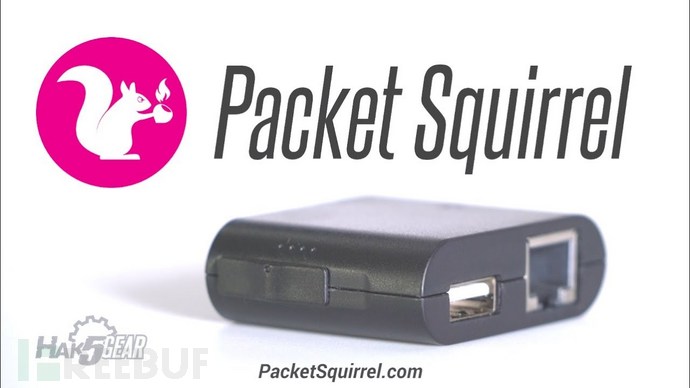
A while back I acquired a Hak5 Packet Squirrel to experiment with but at the time the firmware (1.0) was still sort of weak and had issues. I recently decided to give it a go again since there's newer firmware (2.0) out. The problem I had is that here are there instructions:
Firmware Upgrades
From time to time the Packet Squirrel may be updated with new firmware to add features and
security improvements. It is highly recommended that you keep your Packet Squirrel up to date with the
latest firmware. To install the latest firmware:
security improvements. It is highly recommended that you keep your Packet Squirrel up to date with the
latest firmware. To install the latest firmware:
- Download the upgrade file. Make sure that the filename is upgrade-version.bin (where version is the firmware version, e.g. 1.2) and check that the SHA-256 sum matches.
- Copy the upgrade file to the root of an NTFS or EXT4 formatted USB flash drive. Do not rename, unpack or otherwise alter this file.
- Plug the USB drive into the powered-off Packet Squirrel
- Flip the Packet Squirrel payload select switch to Arming mode (far right, closest to the USB flash drive)
- Power on the Packet Squirrel from a reliable USB power source. This process takes 5-10 minutes and will be indicated by a series of LED lights. Do not power-off or otherwise interrupt the device until the flashing process completes.
During the firmware flashing process, the LED will indicate the following states:
- Green flashing – booting up
- Red/Blue alternating – beginning firmware flash
- Solid Red or Blue – firmware flash in progress
- Green flashing – rebooting
- Blue flashing – upgrade complete, arming mode ready
Note that part that says it needs to be NTFS or EXT4 and as I discovered it really does have to be that. I tried ExFAT, FAT and even EXT2, none of them worked, oh well. Why did I try those and not NTFS? Simple: I'm a Mac user.
After digging around I tried to install Paragon, which failed to install, tried the Brew port of e2fs-progs as well as the NTFS-3G FUSE driver via Brew as well. None of them would do NTFS (write) or EXT4 so I just stuck the USB key in one of my Linux servers, here's the process.
(Note that your USB flash disk will likely NOT be sdf, use fdisk -l to see what it actually is. It's usually sdc).
- fdisk /dev/sdf
- Delete the partition and create a new Linux one, use the defaults for the size
- Write that out and exit fdisk
- mkfs.ext4 /dev/sdf1
- mount /dev/sdf1 /mnt
- cp upgrade-2.0.bin /mnt
- umount /mnt
Plug that into the Squirrel and wait for the blinky blinky to stop, at that point it's done and RTG. No idea why I didn't do that to start with, it took a total of 5 minutes. Oh well, I now know 5 ways to NOT format NTFS or EXT4 on a Mac.
FYI, it took mine close to 20 minutes to flash up my squirrel, it's not the 5-10 they say. It's S L O W.
Saturday, December 22, 2018
Ethernet Tap Board - Components
After ordering the boards I went off to research the various components and source them in. Step one was to use the BOM from Github to see what all is still currently available, it's 2-3 years old now. After researching and contacting DigiKey I have come up with this as my orderable BOM:
1,CL10F474ZB8NNNC,C1
5,CC0603KRX7R9BB104,C2 C6 C7 C8 C9
1,UVR1A682MHD,C3
2,CL10B105KP8NNNC,C4 C5
1,690-005-299-043,CON1
1,CDBA140-G,D1
1,XZCBD53W-6,D2
1,MZ1608-102Y,L1
16,009176002032006,IDC-CONN
1,RC0603JR-0722RL,R1
2,RC0603JR-0710KL,R2 R3
1,RC0603FR-07100RL,R4
2,RC0603JR-074K7L,R5 R6
8,G6KU-2F-RF DC5,U1-U8
1,AP2120N-3.0TRG1,U9
1,PIC16F1454-I/SL,U10
2,MC74HC595ADG,U11 U12
1,MMA8653FCR1,U13
I then fed that into the BOM tool at Octopart who went around and found where they're available and what they cost. I chose to just order all the parts from DigiKey to make it easy but, in theory, you could save $80 if you order from all over the place. I'm guessing shipping would more than consume that. Here is the Octopart BOM to use, feed that to whatever supplier you'd like.
The relays, G6KU-2F-RF, are the most expensive part at $22 each so the total BOM today is $197 (plus shipping). Somewhere down the road I'll look into alternates for those relays using something lower cost (if possible). For now, it is what it is.
As I said, I ended up ordering from DigiKey and have a shared cart you can order from here. You'll be presented with some options because some of the parts are cheaper per unit if you order a higher quantity. If you want spare parts go for it, otherwise just keep the BOM specified amounts.
At the end of all of this, if the project works, I'll contribute all of this back to the Github project so it's current to 2018. Remember, don't commit non-working stuff.
With that part done it's time to start on the firmware development environment for the PIC16 controller using the MPLAB-X IDE development environment.
1,CL10F474ZB8NNNC,C1
5,CC0603KRX7R9BB104,C2 C6 C7 C8 C9
1,UVR1A682MHD,C3
2,CL10B105KP8NNNC,C4 C5
1,690-005-299-043,CON1
1,CDBA140-G,D1
1,XZCBD53W-6,D2
1,MZ1608-102Y,L1
16,009176002032006,IDC-CONN
1,RC0603JR-0722RL,R1
2,RC0603JR-0710KL,R2 R3
1,RC0603FR-07100RL,R4
2,RC0603JR-074K7L,R5 R6
8,G6KU-2F-RF DC5,U1-U8
1,AP2120N-3.0TRG1,U9
1,PIC16F1454-I/SL,U10
2,MC74HC595ADG,U11 U12
1,MMA8653FCR1,U13
I then fed that into the BOM tool at Octopart who went around and found where they're available and what they cost. I chose to just order all the parts from DigiKey to make it easy but, in theory, you could save $80 if you order from all over the place. I'm guessing shipping would more than consume that. Here is the Octopart BOM to use, feed that to whatever supplier you'd like.
The relays, G6KU-2F-RF, are the most expensive part at $22 each so the total BOM today is $197 (plus shipping). Somewhere down the road I'll look into alternates for those relays using something lower cost (if possible). For now, it is what it is.
As I said, I ended up ordering from DigiKey and have a shared cart you can order from here. You'll be presented with some options because some of the parts are cheaper per unit if you order a higher quantity. If you want spare parts go for it, otherwise just keep the BOM specified amounts.
At the end of all of this, if the project works, I'll contribute all of this back to the Github project so it's current to 2018. Remember, don't commit non-working stuff.
With that part done it's time to start on the firmware development environment for the PIC16 controller using the MPLAB-X IDE development environment.
Subscribe to:
Posts (Atom)
-
By default the OPenVAS security assistant listens on port 80 and redirects connections to port 9392, this causes issues if you want to run a...
-
When trying to install the libmysqlclient-dev package on Kali you get the following error: Package libmysqlclient-dev is not available, bu...
-
 As part of a project I'm working on right now I wanted to know what the "optimal" settings were for running OpenVAS on an ODRO...